


Zengo: Crypto & Bitcoin Wallet
4.1598.00 Reviews
App Specs
- Version
- 9.6.3
- Updated On
- License
- Free
- Downloads
- 1,000,000+
- Developer
- ZenGo
- Categories
- Finance
- Platform
- Android
Screenshots

 Analysis by AppCompare
I’d think of a crypto wallet as the place where an everyday plan meets a high-stakes decision: choosing where to keep digital assets, how to move them, and how much responsibility I want to take on myself. Zengo: Crypto & Bitcoin Wallet is designed to make that process feel approachable, with buying, storing, and trading gathered in one finance app. The appeal is clear if you want fewer steps between checking your holdings and acting on them. The important question is whether its convenience and security model suit the way you actually use crypto.
Begin with a clear purpose
Before I add money to any wallet, I decide what I want it to do. If I’m holding a small amount for occasional use, I value a simple overview and an understandable route to a transaction. If I’m managing a larger portfolio or moving assets frequently, I care more about control, recovery, fees, and what happens when a transfer leaves the app. Zengo is aimed at people who want a relatively accessible starting point, but that does not remove the need to understand each transaction.
The app is free to install, and the developer is ZenGo. It has a 4.1 average from around 10,000 ratings, with more than a million installs. Those figures suggest it has reached a broad audience, but I would treat them as context rather than proof that it fits my needs. It is rated for Everyone, while in-app purchases range from $19.99 to $129.99 per item, so I would check the cost shown for any optional purchase before committing. The current version is 9.6.0 and it requires Android 8.0 or later.
From setup to a first transaction
The setup is intended to avoid the familiar private-key handling that can put off newcomers. The original review describes account creation as a short flow involving a selfie, then highlights facial biometrics and a cloud-based security system. That can make access feel less like maintaining a technical checklist. I’d still take a moment to understand the recovery route and secure the email or other account details connected to it before putting meaningful value into the wallet. Easier recovery is useful, but it is not a substitute for protecting the devices and accounts involved.
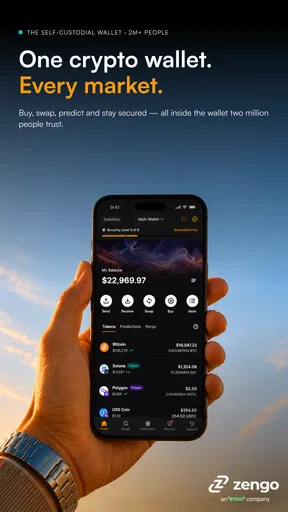
Once inside, the portfolio view gives a convenient place to check holdings and their changing values. For an everyday routine, I can imagine opening it before deciding whether to buy more, hold, or make a transfer. The practical benefit is not simply seeing a total; it is having the balance and the next action close together. My tip would be to treat displayed values as a quick reference, then review the final transaction details carefully before confirming a trade or sending funds.
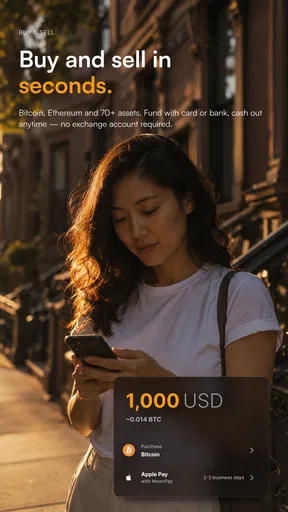
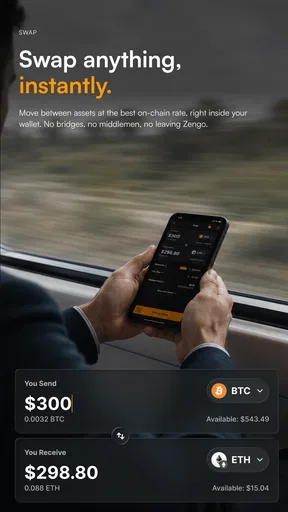
The built-in exchange also reduces app switching when I want to trade supported crypto. That handoff is convenient, but convenience can make it tempting to transact without comparing the terms. I would check the amount I will receive and any displayed charges before accepting, especially for a larger trade. A wallet’s in-app route is not automatically the cheapest route, and a quick comparison with a dedicated exchange may be worthwhile if price is my priority.
Security and the handoffs that matter
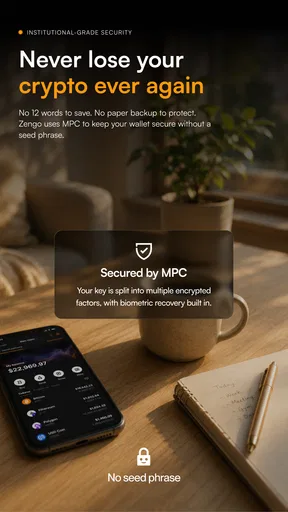
Zengo’s keyless approach is a central part of its identity. The original review describes its use of MPC, or multiparty computation, and says private keys are not stored on the phone or the company’s servers. The aim is to avoid leaving one complete key in a single place. That is a different approach from a conventional self-custody wallet where the user is responsible for a recovery phrase. It may suit someone who worries about misplacing a phrase, though anyone choosing it should still understand how the account is recovered and what information they need to retain.
Worth Reading Before You Choose

EA SPORTS FC Mobile 26 Is a Bigger Football Game, but It Takes Time

Flipboard Shows What News Apps Must Do Beyond the Feed

Switching to Android Auto Means Rethinking Your Driving Routine

Google Calendar Makes a Crowded Week Easier to Manage

Ludo King Makes the Most of the Minutes Between Plans

Baby Panda World Brings Quick Play to Modern Phones, but Its Game Library Feels Busy
A realistic use case is buying a modest amount, checking the portfolio later, and then sending a portion to another wallet. The first two steps stay within Zengo; the transfer is the handoff. At that point I would slow down, confirm the receiving address and network, and consider sending a small test amount when the situation warrants it. An incorrect address or network can turn a convenient workflow into a costly mistake, and no clean interface can remove that risk.
Recovery after losing a phone is another important handoff. Zengo offers an account recovery option, which is reassuring compared with a wallet that leaves recovery entirely to a phrase the user may have misplaced. But I would not assume that “recoverable” means effortless under every circumstance. I’d review the current recovery instructions while I still have access, and make sure I can reach the account details needed to complete them. Doing that early is much less stressful than learning the process during a device change.
Who benefits, and who may prefer another route
I can see Zengo working well for a curious beginner who wants to explore crypto without immediately managing a traditional seed phrase, or for an existing holder who values checking balances and trading in one app. Its approach also makes sense for someone who uses a phone as their main way to manage finances and wants a more guided experience than a bare-bones wallet.
It is less compelling for someone who wants maximum hands-on control, prefers keeping recovery information entirely offline, or already has a careful hardware-wallet routine. A hardware wallet can be a better fit for long-term storage when the owner is comfortable managing the device and recovery process. A dedicated exchange may be preferable for frequent traders who want to compare trading tools and costs. These alternatives involve their own trade-offs; I would choose based on the amount, frequency, and level of control I actually need rather than treating one wallet as suitable for every job.
I’d also separate “wallet” from “investment plan.” A simple portfolio screen can make assets feel easy to manage, but crypto prices can move sharply, and seeing a balance update does not make an asset low-risk. I would decide in advance how much I can afford to expose to that risk, avoid making rushed trades because of a short-term move, and keep records of transactions for my own financial tracking.
Where convenience can break down
The smoothest path is buying, viewing, and trading from one place. The friction appears when a transaction crosses into another service or wallet, when recovery details are needed, or when I want to compare costs. That is where I would stop treating the app as a one-tap solution and check the details. Crypto transfers are not like reversing an ordinary card payment, so I would verify the recipient, amount, and network before confirming.
The original review praises a savings feature that can earn interest on crypto holdings. I would approach that option with more caution than a regular cash savings account: crypto-based returns involve risks and terms that deserve a close read. Before placing assets there, I’d check how the feature works, what conditions apply, and whether I am comfortable with the possibility that access or value could be affected. If I only want a wallet for occasional transfers, I may not need that extra layer at all.
Support can matter when a transaction is confusing or access goes wrong. The original review describes Zengo’s support as human and helpful, but I would still keep my expectations practical: support can guide me through a process, not necessarily undo a completed blockchain transfer. For anything time-sensitive, I’d gather the transaction details and explain the issue clearly rather than sending repeated messages or sharing sensitive account information with anyone claiming to help.
It is also worth remembering that the experience is shaped by the phone. If I change devices, lose access, or use a version that is no longer current, I need to be prepared to follow the app’s recovery and update steps. The Android requirement is 8.0 or later, and I would keep the app updated through the usual store rather than installing files from unfamiliar sources. That is a basic habit, but it matters especially when an app handles financial access.
For someone comparing mobile wallets, Zengo’s distinctive trade-off is convenience through its keyless security approach, paired with an in-app view of holdings and trading. A more traditional wallet puts more recovery responsibility on the user; an exchange may make trading the main focus; a hardware wallet emphasizes a different kind of control. I wouldn’t call one universally safer or better. I’d ask which failure I am most prepared to manage: losing access credentials, making a mistaken transfer, paying more for convenience, or handling a recovery process myself.
A practical verdict after following the workflow
What caught my eye immediately was the keyless security feature. It feels like stepping into a sci-fi movie, where passwords are passé. Instead, Zengo uses facial biometrics and a cloud-based security system. Pretty neat, right? It eliminates the stress of remembering complex passwords and worrying about losing access to your wallet.
Features That Stand Out
Let’s dive into some of the features that make this app a standout. First up, the effortless account setup. You don’t need a PhD in tech to get started. Just a few taps, a selfie, and voila, you’re in!
Managing your crypto portfolio feels almost too easy. You get a bird’s eye view of your assets, with real-time updates on their values. And if you’re into swapping, Zengo has got you covered with its built-in exchange. You can trade your favorite cryptocurrencies without ever leaving the app.
Now, here’s something I love: the savings account feature. You can earn interest on your crypto holdings. It’s like having your cake and eating it too. Just stash some coins in the savings section and watch them grow.
Security: A Whole New Ball Game
Security is where Zengo really shines. With its keyless technology, it’s redefining how we think about digital security. The app uses something called MPC (Multiparty Computation). Without diving too deep into the techie details, it basically means your private keys are never stored on your device or Zengo’s servers. This drastically reduces the risk of hacks.
And for those of us who are prone to losing our phones, Zengo offers a fail-safe recovery option. Just a few taps and you can recover your account on a new device. It’s peace of mind wrapped in convenience.
Customer Support: Real Humans, Real Help
Ever tried contacting customer support and felt like you were talking to a robot? Well, not here. Zengo’s support team is a breath of fresh air. Real humans, ready to help, and they’re pretty quick too. Whether it's a query about transactions or a snag you hit along the way, they’ve got your back.
Why It’s Worth Your Time
If you’re still on the fence about diving into the world of crypto, Zengo makes it less daunting. Its user-friendly interface and robust security features set a new standard for crypto wallets. Plus, the ability to earn interest on your holdings is a game-changer. Imagine making money while you sleep. That’s what Zengo offers.
In a world where digital security is paramount, Zengo’s innovative approach is refreshing and reassuring. It’s not just about storing your crypto; it’s about doing it safely and efficiently. So, if you’re looking to dip your toes into the crypto waters or simply want a more secure wallet, Zengo might just be your new best friend.
So, go ahead, give Zengo a spin. It’s secure, intuitive, and ready to make your crypto journey smoother than ever. Trust me; it’s worth the download!
My final check before using it
My recommendation is to treat Zengo as a convenient mobile wallet, not as a reason to skip the usual checks around crypto. I’d start with an amount I’m comfortable managing, learn the recovery flow, and compare the terms whenever I buy, trade, or use the savings option. If those habits suit you, its approachable setup and keyless model make it an appealing option. If your priority is offline control, the lowest possible trading cost, or a workflow built around specialist tools, another kind of wallet or exchange may be a better match.
Pros
- User-friendly interface for beginners.
- Secure encryption and biometric access.
- Supports multiple cryptocurrencies.
- No private key management needed.
- Quick setup and account recovery.
Cons
- Limited advanced trading features.
- High fees for certain transactions.
- No desktop application available.
- Customer support lacks live chat.
- Limited educational resources.
FAQs for Zengo: Crypto & Bitcoin Wallet
What is Zengo and how does it work?
Zengo is a cryptocurrency wallet designed for easy and secure management of digital assets. Unlike traditional wallets, Zengo uses a keyless security model, which means there are no private keys to manage. Instead, it utilizes advanced cryptography to ensure that only you have access to your funds, making it user-friendly and secure.
Is Zengo safe for storing my cryptocurrency?
Yes, Zengo is considered highly safe due to its keyless security system. It eliminates the risks associated with losing private keys and employs industry-leading encryption. Additionally, it provides biometric authentication for added security, ensuring that only you can access your account and manage your assets.
Which cryptocurrencies are supported by Zengo?
Zengo supports a wide variety of cryptocurrencies, including Bitcoin, Ethereum, and popular altcoins like Litecoin and Dogecoin. The wallet frequently updates to include new coins and tokens, making it versatile for users who wish to manage multiple crypto assets within a single application.
How user-friendly is the Zengo app for beginners?
Zengo is designed with beginners in mind, offering an intuitive interface that simplifies cryptocurrency management. The app provides easy navigation and clear instructions for buying, selling, and transferring cryptocurrencies. It also features built-in educational resources to help new users understand the world of crypto better.
Are there any fees associated with using Zengo?
Zengo does not charge any fees for downloading or using the app. However, standard network fees apply when transferring cryptocurrencies, which are determined by the blockchain network itself. The app may also offer premium features at a cost, but basic wallet functions remain free.


